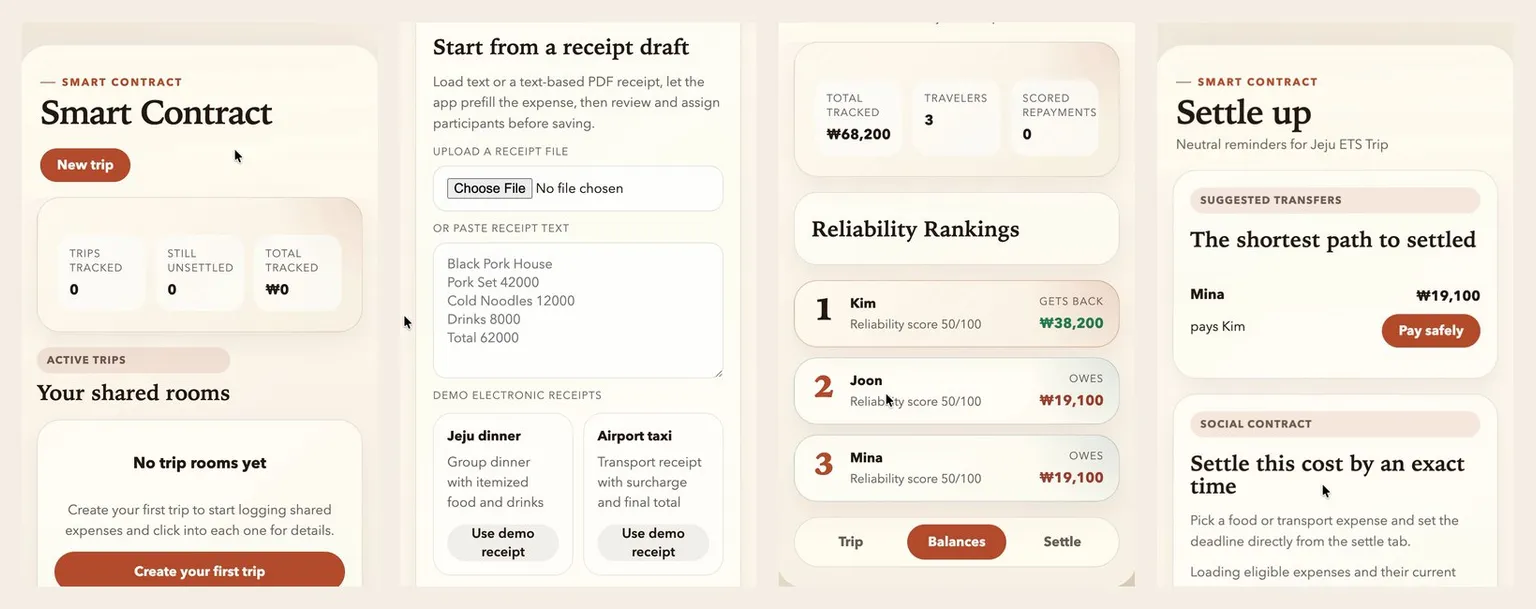
Demo
The problem
On a group trip, several people pay for things along the way. At the end someone has to work out who owes whom, and then someone has to remind the people who have not paid. Sharefair does both.
What it does
- Create a trip and add the travelers.
- Add each expense: who paid, who shares it, and whether the split is equal or custom.
- See everyone’s balance and the transfers that would settle the trip.
- Pay a share through a payment flow that is confirmed with an emailed code.
- Set a due time on an expense, and the people who owe get reminder emails before it.
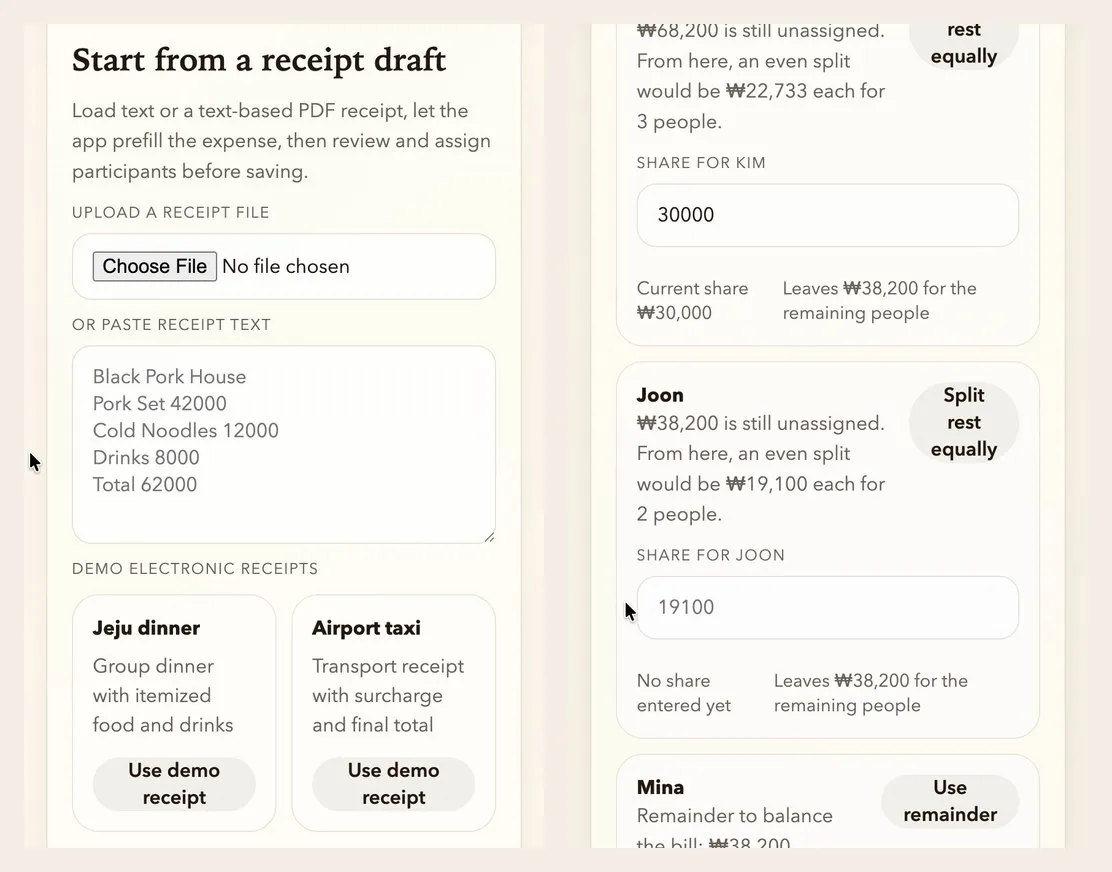
Starting an expense from a receipt, then dividing it between travelers.
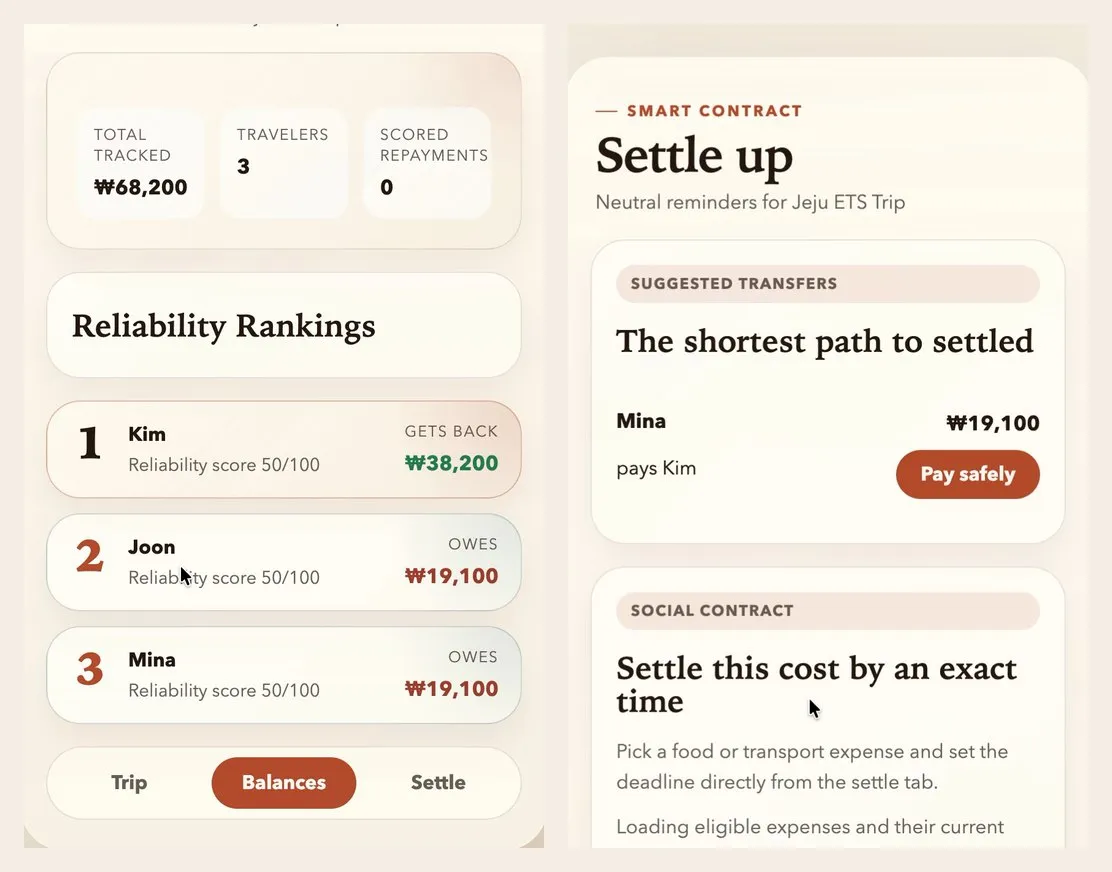
Balances for a three-person trip, and the transfers that settle it. The interface uses the working title “Smart Contract”.
How it is built
The whole app is one Next.js project. Pages and API routes live together, and there is no separate backend. Trips, expenses, and payments are stored in PostgreSQL. Payment sessions expire after 15 minutes, so they live in Redis. For local development, both have local fallbacks.
Money as whole numbers
All amounts are Korean won stored as integers, so there are no fractions to round wrongly. An equal split gives each person the rounded share, and the last person takes whatever remains. The shares always add up to the total. For a custom split, the server rejects any set of shares that does not.
Who pays whom
Each traveler’s balance is what they paid minus their share of every expense, adjusted for payments already confirmed. To settle up, the app sorts the people who are owed and the people who owe, each from largest to smallest. The largest debtor pays the largest creditor as much as both balances allow. Whoever reaches zero drops out, and the step repeats.
This produces a short list of transfers. I have not proven it is the shortest possible list in every case, and the app has no test for it yet.
Reading receipts
An expense can start from pasted receipt text or an uploaded PDF. The server extracts the text and looks for lines that end in an amount, then fills in the expense form with the items and the total for the user to review.
The parser has clear limits. A scanned or photographed receipt has no text to extract, so it is rejected with a message. It recognizes English keywords only. It does not spread tax across the items.
A payment flow without real money
Payments are simulated, but the flow has the same steps as a real one, and each step checks something.
- Start. The server confirms that the payer is the person signed in and that both people belong to the trip. It creates a session that lasts 15 minutes.
- Verify. A six-digit code is emailed to the payer. It is valid for five minutes and five attempts. The server stores only a keyed hash of the code, never the code itself.
- Authorize. The mock payment provider approves the payment only if the code was verified.
- Confirm. When the provider calls back, the server checks that the transaction matches the session’s amount, payer, and receiver before marking the payment confirmed.
Reminders
For food and transport expenses, the person who paid can set an exact time to be repaid by. The people who owe get an email immediately, another when three hours remain, and a last one when 15 minutes remain. Each reminder is recorded when it is sent, so nobody gets the same one twice.
What I fixed along the way
- Real email delivery. The first version used placeholder addresses and showed the verification code on the page. I replaced both with real delivery through Resend.
- Reminders after payment. The reminder job kept emailing people who had already paid. I changed it to skip requests that are paid or confirmed.
- Tests. I added 12 tests covering the balance summaries, the receipt parser, and the verification code check.
What is still missing
- Sign-in is simulated. A user picks who they are from a list.
- Repeat requests are not blocked. Each payment gets a unique key meant to stop duplicates, but the server does not check it yet.
- Reminders need a scheduler. The reminder job is a protected endpoint that something has to call on a timer.
- The settle-up logic is untested. The calculation that matters most has no test of its own.